
Also (sorry, not sure how to edit posts) - with the above I don't need to be selecting PlayIt Live main mix anywhere do I? When was doing testing yesterday, the audio from the mixer was going out on the stream but I didn't seem able to record it? i.e., the presenter went out and could be heard but the recording featured none of his speech, although you could hear the mic dipping when he was doing links.
I've not tried Stereo Tool but I do use Rocket Broadcaster (paid version) which takes VST plug ins and the "Broadcast" processor that they suggest. That's a good answer although I do like the Behringer 9024 hardware processor..
Now considering PlayIt Live and a sound card.
In true "don't try this at home style", I've used my very underpowered Dell tablet with the only "simple" sound card I have, an antique Creative SoundBlaster which doesn't seem to like the Windows 10 driver and is stuck in 48kHz which may account for the glitches I had.
The setup
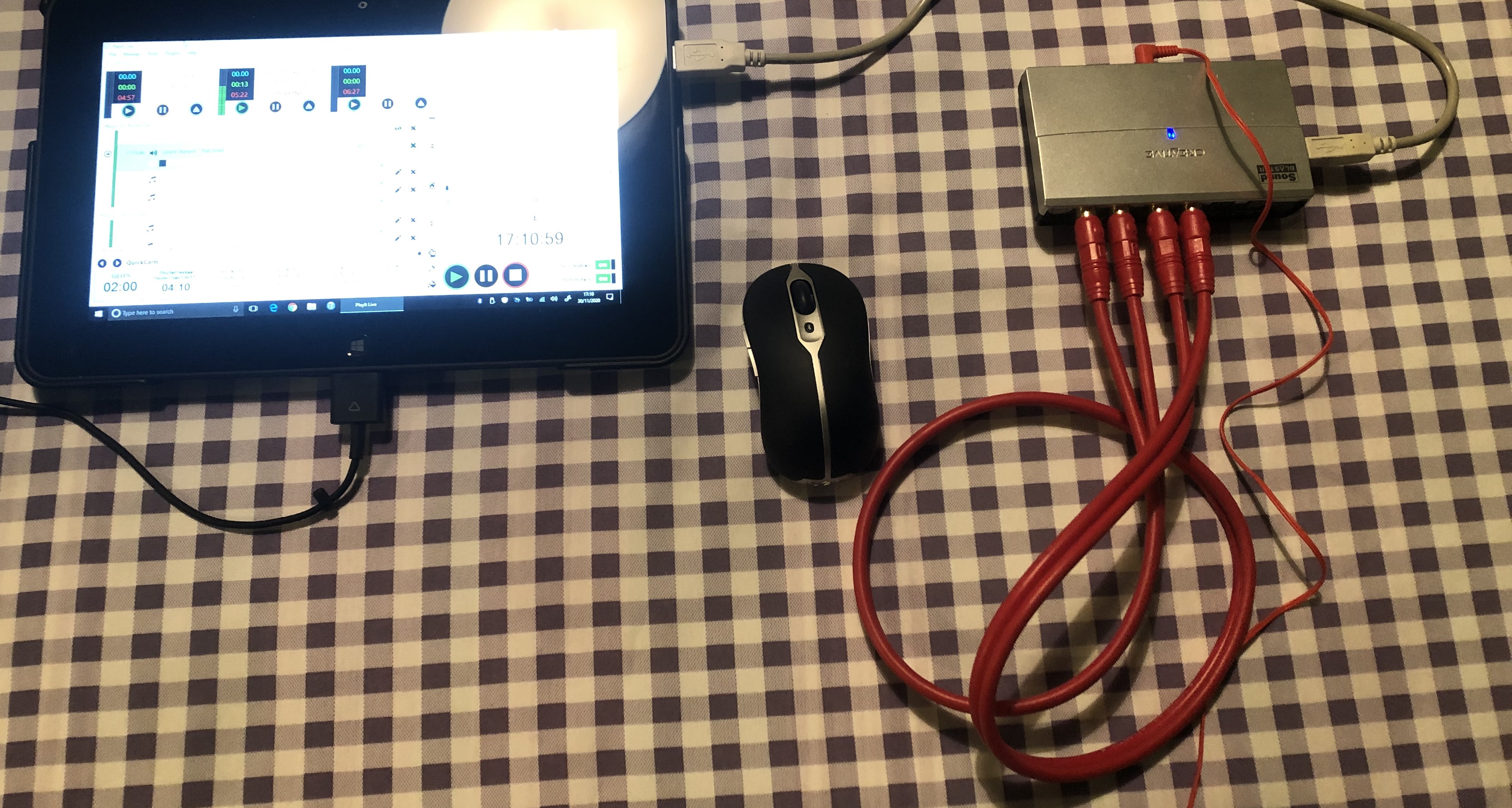
USB sound card connected and input looped from the output (and some headphones to hear it with). The red phono lead could (obviously) be replaced with a mixer and the mixer output goes to the USB sound card input, a mixer channel is fed from the USB sound card output.
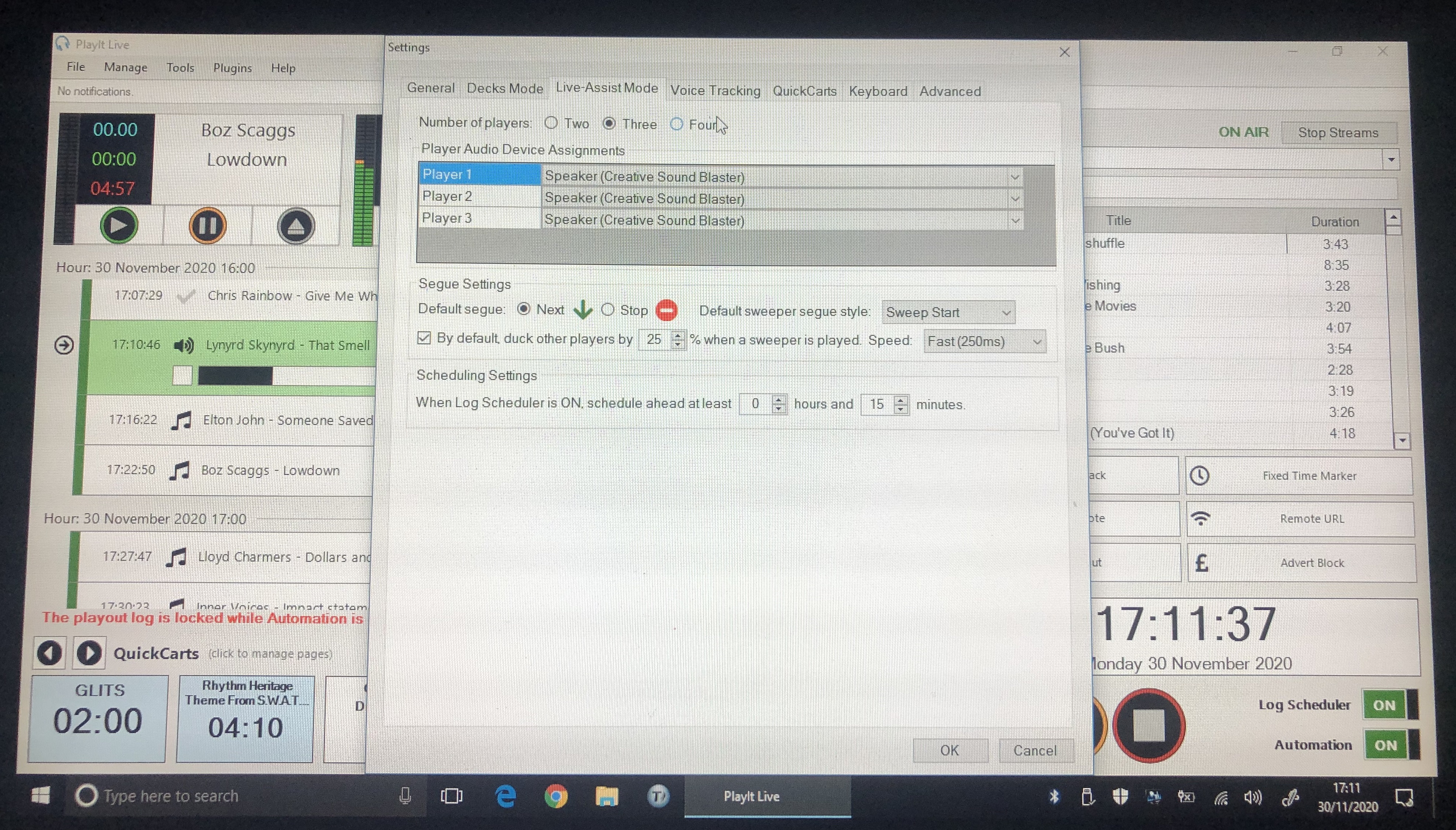
Player settings
All set to use the USB sound card output.
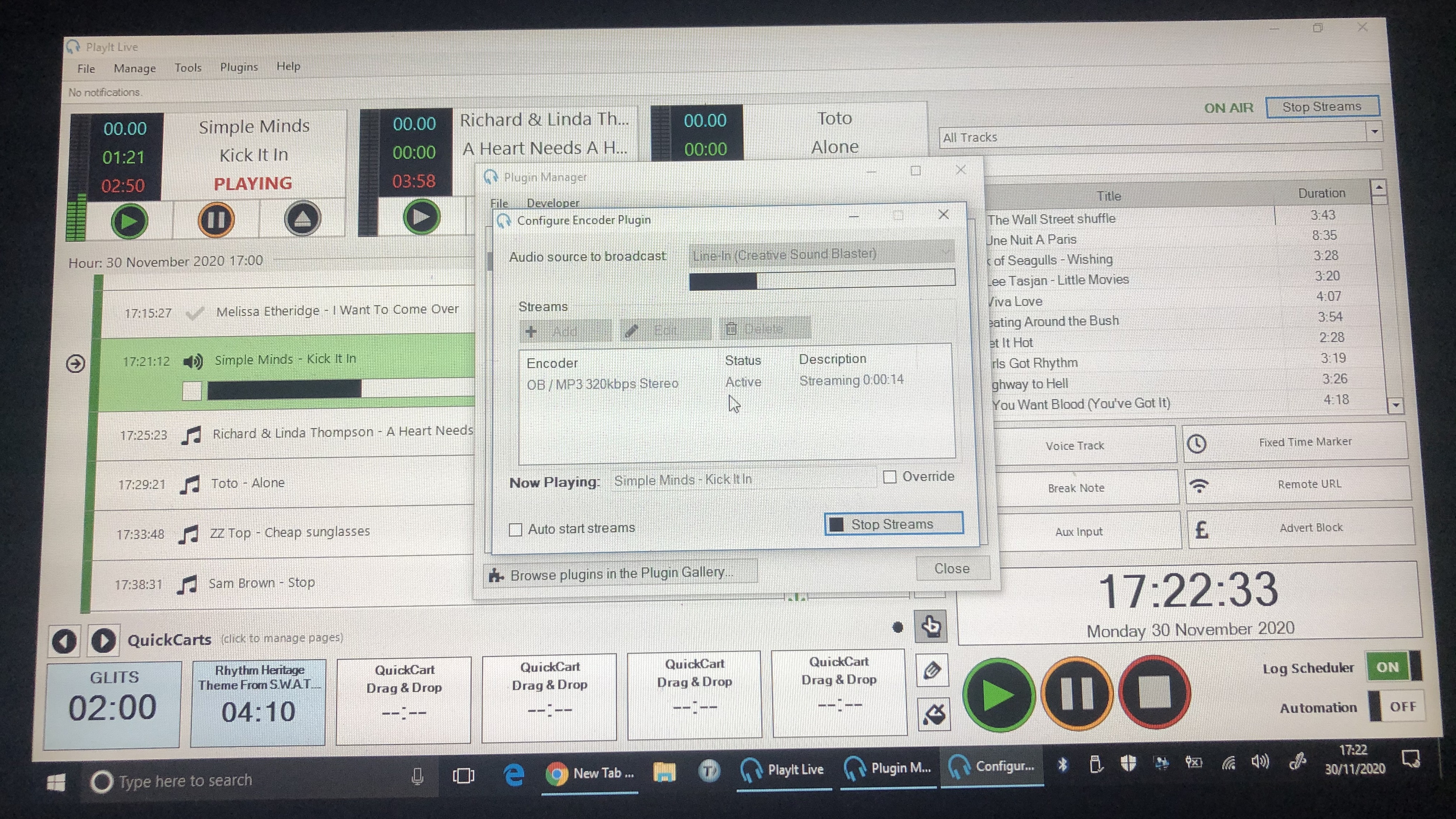
Streaming PlugIn
Set to take the USB sound card as a source.
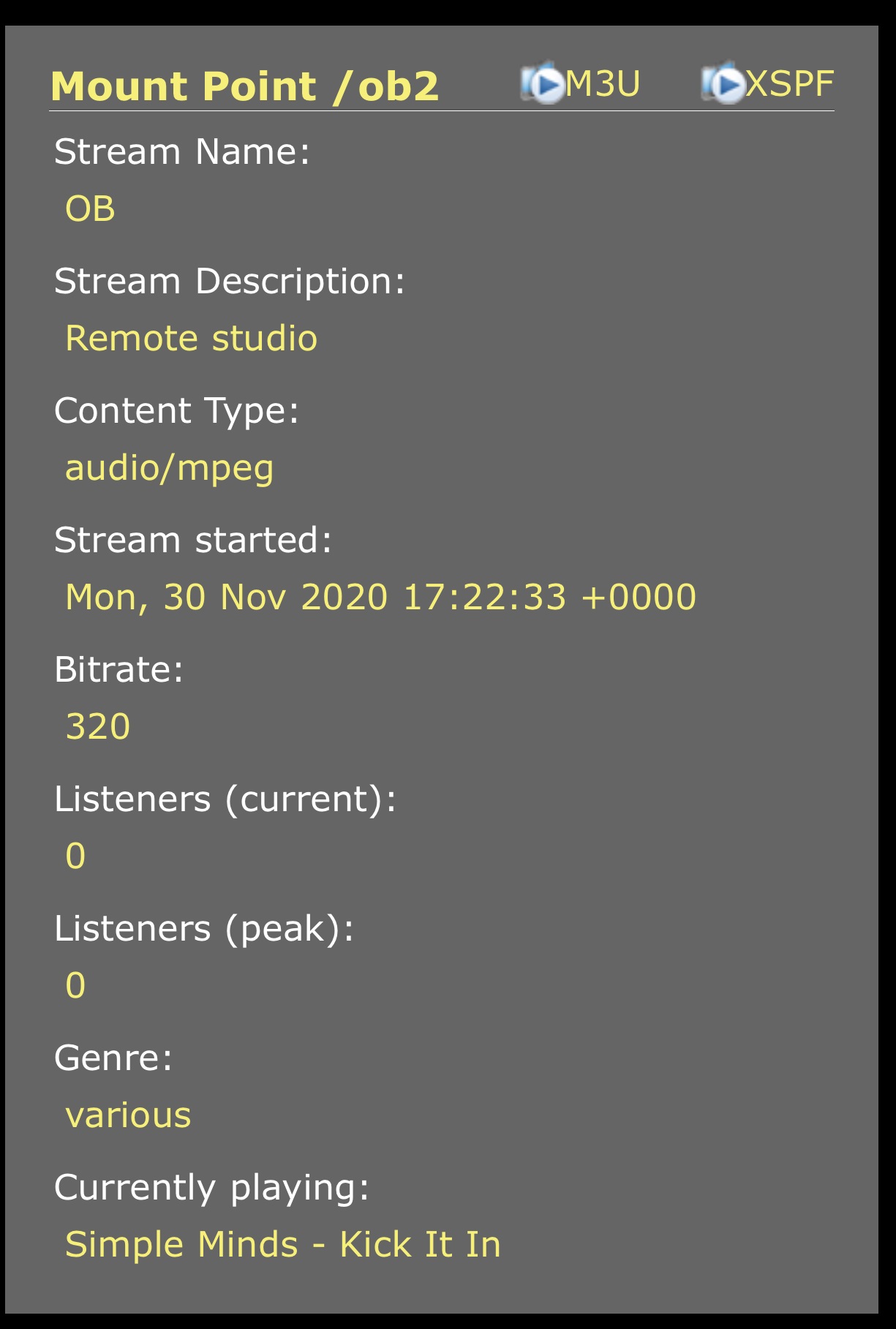
The Icecast Stream
As you can see it seems to all work.
The settings on the encoder were all left over from my OB tests with the Yamaha AG03 some months back.
That worked better than the Creative SoundBlaster (probably due to a better driver).
@Mark Hi Mark, were you able to comment further on how I should set up Main Mix vs just Mic input? (Sorry for asking again, don't mean to mither)
Thanks Mark - it was the PlayIt Main Mix that was throwing me - I will set everything to go BACK to the mixer and then take the source FROM the mixer for Broadcast. Hopefully it will record that way as well - thank you for clarifying though, really appreciate that :-)
Hello
Daily request time! So my presenter with analog mixer - happy, presenter with USB solution - happy!
I still cannot fathom how to record the mix (presenter and music) in either Play It Live recorder or Audacity? It seems I can do one or the other but not both. The USB scenario is definitely set to Play It Out Main Mix - am I missing something obvious please?
Edit - I am dealing with two separate presenters each doing it a different way, remotely. For the USB scenario, I can definitely hear the right mix on the stream (just done it), I just can't record it. If I used BUTT would that record the entire mix?
I think the problem with recording using a USB microphone and the mic mix plugin is that there is no "physical" input to the computer that has that mix on it. The microphone is a sound input to the computer (using the soundcard built in to the USB microphone) but PlayIt LIve targets computer sound outputs (so you can listen on headphones) and combines the sources to "main mix" which the built in streamer can stream.
This main mix also wouldn't be available to B.U.T.T. or similar for the same reason as Audacity can't record it, that it doesn't enter the computer on an input.
You could look at "Virtual cables" which could potentially help.
Also there is sometimes a "stereo mix" source available in recording that can be enabled (Realtek sound cards do this).
I use VB Cable VB-Audio Virtual Apps (vb-audio.com)
This is donationware and works fantastically well, it gives you an extra 'virtual' audio output. I then use the (free) PlayIt Recorder plugin to record the stream with the Virtual Cable as the source. Works really well.
Ah thank you both! Do I need to set virtual cable up within PlayIt Live at all? (I get the input into the PIL recorder - I think!)
VB Cable is just a neat way of having an extra 'source' that's available to record - if you can't find any that work it'll almost certainly fix the problem for you.
No, you don't set it up within Play It Live - you just run the installer in Windows. It will then appear as a source in your sound settings, in PlayIt Recorder and PlayIt Live.
I'm pretty sure there's a demo version of it, suggest you try that first ...
Brill, thanks Simon! Do I not have to send anything to the Audio Cable (from wherever)? Will it just sort of "work"?
It should do, yes ...
Gavin Richards
Hi - I'm using the internet broadcast and microphone push to talk plugins with PlayItLive.
The microphone settings have been a bit strange, but I have configured the microphone plugin to my USB microphone.
If I broadcast the playitlive mainmix to my audio stream, then you cannot hear the microphone.
The way round this is to select "headphones" as the playback in the microphone plugin, and then stream the "headphones" feed to the streaming server. This allows the microphone to be broadcast. But it feels a slightly sub-optimal way of doing things. It also means that any other noise omitted by the computer (a notification or other windows noise that gets picked up through the headphone feed) also gets broadcast into the stream.
Any advice much appreciated!